

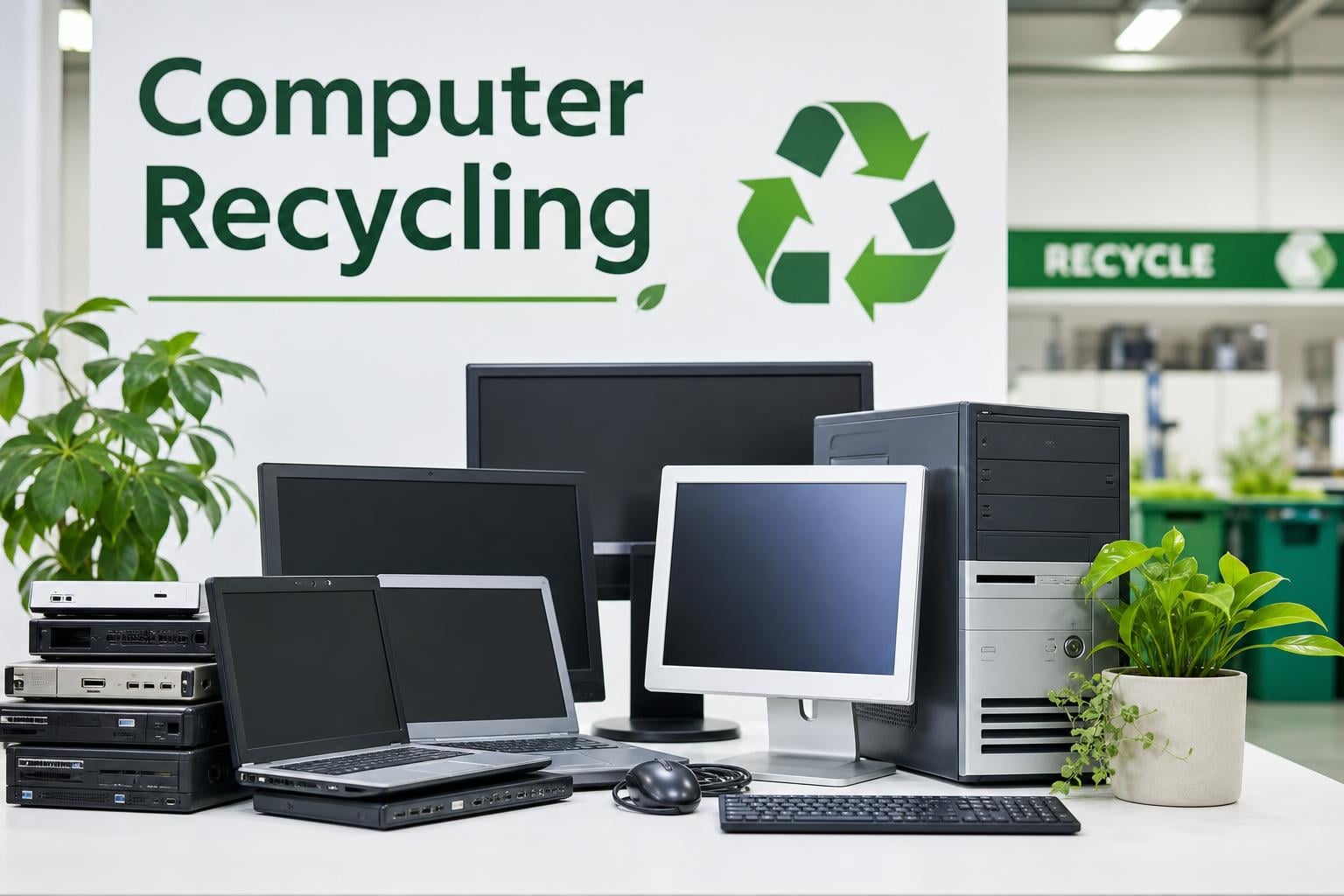
Every year, Americans generate millions of tons of electronic waste, and a significant chunk of that comes from the computers and laptops we upgrade, replace, or simply stop using. According to the EPA, recycling just one million laptops saves enough energy to power approximately 3,500 U.S. homes for an entire year. That single statistic captures the scale of opportunity we are sitting on. Computer recycling is one of the most effective ways to reclaim valuable materials, prevent toxic substances from contaminating soil and water, and shrink the carbon footprint of our collective tech habit.
If you are holding onto a dusty desktop tower, a cracked laptop, or a monitor that has not powered on since the Obama administration, you are in the right place. The challenge most people face is not a lack of willingness to recycle — it is confusion about the process. Where do you take an old computer? Do you need to wipe the hard drive first? What about the battery? Can you just drop it at Best Buy? This guide answers every one of those questions with clear, actionable steps.
We built this resource to walk you through the full lifecycle of computer recycling — from backing up your files and securely destroying personal data, to finding certified recyclers, retailer programs, and donation options near you. Whether you are a homeowner clearing out a closet or a small business offloading outdated workstations, you will find practical guidance rooted in current EPA recommendations and real-world recycling practices.
Here is what you will learn:
Computer recycling is the structured process of collecting, dismantling, and reprocessing old or non-functional computing equipment so that its components and materials can be recovered rather than dumped. This includes desktop towers, laptops, monitors, keyboards, mice, printers, internal components like hard drives and graphics cards, and even the cables that connect everything. The goal is to divert as much material as possible from landfills and return usable resources to the manufacturing supply chain.

A typical computer contains a complex mix of materials. There are metals like aluminum, copper, steel, and iron. There are precious metals including gold, silver, and palladium that coat connectors and circuit boards. There are plastics from casings and insulation. There is glass from screens and CRT monitors. And there are hazardous substances — lead, mercury, cadmium, and beryllium — embedded in solder, switches, batteries, and circuit boards. Responsible recycling separates each of these material streams and channels them to appropriate processing facilities.
The recycling process typically begins with collection and sorting at a dedicated e-waste facility. Workers then test equipment to determine whether it can be refurbished or must be dismantled for material recovery. Devices headed for dismantling go through manual or mechanical separation, where components like circuit boards, hard drives, power supplies, and fans are sorted individually. Specialized processors then extract metals through chemical or thermal refining, recovering raw materials that can go directly into new products.
The environmental case for computer recycling is backed by hard numbers from the EPA and the U.S. Geological Survey. According to the EPA, for every one million cell phones recycled, approximately 35,274 pounds of copper, 772 pounds of silver, 75 pounds of gold, and 33 pounds of palladium can be recovered. The same principle applies to computers — which contain far more material per unit than a phone. These precious metals are finite resources, and mining them carries enormous environmental and energy costs.
When computers end up in landfills instead of recycling facilities, the hazardous materials inside them become a direct threat to public health. Lead from solder and old CRT glass can leach into groundwater. Mercury from switches and backlighting can vaporize into the atmosphere. Cadmium from batteries can contaminate soil. These are not theoretical risks — they are documented consequences of improper e-waste disposal that have prompted 25 U.S. states to pass electronics recycling laws.
Recycling also delivers substantial energy savings. Manufacturing new electronics from virgin raw materials requires mining, refining, transporting, and processing — each step consuming massive amounts of energy and generating carbon emissions. Recovered materials require significantly less energy to process. The EPA estimates that recycling one million laptops saves the equivalent of the electricity used by 3,500 American homes in a single year. That is energy that never needed to be generated.
Beyond environmental metrics, there is a social dimension. Many older but functional computers can be refurbished and redistributed to students, low-income families, nonprofits, and educational programs. When you choose donation over disposal, you extend the useful life of a device that still has value. Older CRT monitors require special handling due to their lead content, but even these can be processed responsibly at certified facilities.
Finally, there is the matter of growing e-waste volumes. Global electronic waste generation has been climbing steadily, reaching tens of millions of metric tons annually. Every computer that gets responsibly recycled instead of tossed into a garbage bin represents a concrete reduction in that stream. Individual choices, multiplied across millions of households and businesses, add up to meaningful impact.
Recycling a computer involves several distinct stages, and understanding the full pipeline helps you make better decisions at each step. The process starts with you — the person who decides not to throw that old laptop in the trash — and ends at a certified processing facility where raw materials are recovered and returned to the manufacturing economy.
Step 1: Back Up Your Data
Before touching anything else, save every file, photo, document, and license key you might need. Transfer your data to an external drive, cloud storage service, or your new computer. Once your machine leaves your hands, recovering data becomes difficult or impossible, so be thorough.
Step 2: Wipe Your Hard Drive or SSD Securely
Deleting files or emptying the recycle bin is not enough — that data can still be recovered with basic software tools. For traditional mechanical hard drives (HDDs), use a wiping utility that overwrites every sector of the disk multiple times. For solid-state drives (SSDs and NVMe), use the ATA Secure Erase command or a manufacturer-specific tool, which sends a voltage spike to reset all memory cells simultaneously. Avoid using HDD-style overwrite tools on SSDs, as they cause unnecessary wear and may not fully erase data.
Step 3: Disconnect All Accessories and Cables
Unplug everything connected to your computer — power cables, USB devices, external drives, docks, adapters, and peripherals. These items may be recyclable separately, and some accessories like printers can be recycled at the same facilities or through dedicated programs.
Step 4: Remove the Hard Drive (Optional but Recommended)
If you want maximum peace of mind, physically remove the storage drive before recycling. You can keep it, destroy it with a drill or hammer, or take it to a professional data destruction service that shreds drives into fragments. Many Reddit users in recycling communities report that physical destruction is the single most trusted method for ensuring personal data cannot be recovered.
Step 5: Remove the Battery from Laptops
If you are recycling a laptop with a removable battery, take it out and set it aside for separate battery recycling. For devices with built-in batteries, do not attempt to pry them open yourself — bring the entire device to a recycler who can safely extract the battery internally. This step is critical for fire safety, as explained in the warning below.
Never place lithium-ion batteries in household garbage, curbside recycling bins, or standard trash compactors. The EPA explicitly warns that damaged or improperly handled Li-ion batteries can ignite, causing fires in recycling trucks, transfer stations, and landfill equipment. These fires are not rare incidents — they occur regularly at waste facilities across the country and can cause significant property damage and injury.
Most laptops, tablets, and many desktop peripherals contain lithium-ion batteries. If a battery is swollen, punctured, overheating, or emitting an unusual smell, treat it as a fire hazard. Place it in a non-flammable container and bring it directly to a battery recycling location. Use Call2Recycle or Earth911 to find the nearest drop-off site for rechargeable batteries. Many hardware stores, electronics retailers, and municipal recycling centers accept them at no charge.
Step 6: Assess Whether to Donate, Trade In, or Recycle
Look at the condition of your computer. If it still boots up and runs reasonably well, donation or trade-in might be the better path — extending its useful life and potentially benefiting someone in need. If the device is broken, outdated beyond use, or missing key components, recycling is the right choice. We cover donation versus recycling in detail later in this guide.
Step 7: Find a Certified Recycling Location
Not every facility that accepts electronics is a responsible recycler. Look for recyclers certified under the R2 (Responsible Recycling) or e-Stewards standards, both of which are recognized by the EPA. These certifications require audited environmental, health, safety, and data security practices. Use the EPA’s electronics recycling resources or the directories mentioned in the next section to locate certified facilities near you.
Step 8: Drop Off Your Computer and Get a Receipt
Bring your computer to the recycling location, follow their intake process, and ask for a receipt or certificate of recycling. If you are recycling on behalf of a business, this documentation may be needed for compliance records. Some recyclers also provide certificates of data destruction, which formally confirm that any storage media was destroyed in accordance with recognized standards.
Finding a place to recycle your computer is easier than most people think. You have several categories of options available, ranging from free retail drop-off programs to manufacturer mail-back services to municipal collection events. The best choice depends on what you are recycling, where you live, and whether you need documentation of data destruction.
Best Buy Recycling: Best Buy operates one of the most accessible electronics recycling programs in the United States. You can bring up to three items per household per day to most store locations at no charge. They accept a wide range of products including laptops, desktops, monitors, printers, and accessories. Best Buy also operates a trade-in program for working electronics that can earn you store credit. Keep in mind that state-specific restrictions apply in some locations, particularly for CRT TVs and monitors.
Staples Recycling: Staples offers free electronics recycling for many items, including laptops, desktops, tablets, and small electronics. They also run a trade-in program that provides store credit for eligible devices. Staples is frequently recommended in online recycling communities as a reliable and convenient drop-off point.
Micro Center: Micro Center accepts electronics for recycling at its store locations and also refurbishes working computers for donation to schools and community programs. Their program combines recycling and donation, giving functional hardware a second life.
Most major computer manufacturers now operate their own recycling and trade-in programs, often with free shipping options. These programs are particularly useful if you want to ensure your device goes through a controlled recycling pipeline managed by the company that built it.
Apple Trade In: Apple accepts old Macs, iPhones, iPads, and other Apple devices for recycling or trade-in. If your device has trade-in value, you receive Apple Gift Card credit. If it does not, Apple recycles it for free through its partner network. You can initiate the process online and ship your device at no cost.
Dell Recycling Program: Dell offers free recycling for Dell-branded products with no purchase required, and also accepts non-Dell computers when you purchase a new Dell product. Their program includes mail-back options and partnerships with Goodwill for drop-off locations.
HP Planet Partners: HP operates a closed-loop recycling program for HP ink and toner cartridges and also accepts HP computing equipment for recycling. Their hardware recycling program includes both consumer and business options, with mail-back services available.
If retailer and manufacturer programs do not work for your situation, several online directories can help you locate certified electronics recyclers in your area:
Forum users consistently recommend starting with your municipal or county waste management website, as it typically lists the most current local options including seasonal collection events. Many communities hold spring and fall electronics recycling drives that accept items retailers will not take. If you have other electronics to dispose of, you can also check our guides on TV recycling, smartphone recycling, and how to recycle computer monitors for device-specific instructions.
Not all electronics recyclers operate to the same standards. Some facilities export e-waste to developing countries where it is processed under hazardous conditions with minimal environmental oversight. Others lack proper data destruction protocols, leaving recovered storage devices vulnerable to data breaches. This is why third-party certification matters.
The two certifications recognized by the EPA are R2 (Responsible Recycling) and e-Stewards. Both require independent audits covering environmental responsibility, worker health and safety, data security practices, and chain-of-custody documentation for downstream material processing.
R2 Certification is managed by SERI (Sustainable Electronics Recycling International) and is the more widely adopted standard in the U.S. It establishes requirements for responsible reuse, recovery, and disposal of electronic equipment, including strict guidelines for how materials flow through the recycling chain.
e-Stewards Certification is administered by the Basel Action Network and is generally considered the more rigorous standard. It explicitly prohibits the export of hazardous e-waste to developing nations, the use of prison labor for processing, and the disposal of toxic materials in landfills or incinerators.
When selecting a recycler, ask whether they hold R2 or e-Stewards certification and request documentation if you need it for business compliance. Reddit users in recycling communities consistently identify these certifications as the gold standard and warn against using uncertified recyclers who may charge less but cannot account for where your e-waste ultimately ends up.
If your old computer still functions — even slowly — donation is often the better choice from both an environmental and social standpoint. Extending the useful life of a device delays the need for energy-intensive recycling and manufacturing, and it puts technology into the hands of people who may not otherwise have access to it.
When to donate: If the computer boots up within a reasonable time, can run a current operating system or a lightweight Linux distribution, and has no major hardware failures, it is a good candidate for donation. Schools, community centers, STEAM education programs, and nonprofits frequently accept working computers. Some organizations refurbish donated machines and distribute them to low-income families, students, or veterans. Donation may also qualify as a tax-deductible contribution if made to a registered nonprofit.
When to recycle: If the computer will not boot, has a cracked or damaged motherboard, has severe hardware failures, or is more than a decade old with no practical use case, recycling is the responsible path. Attempting to donate non-functional equipment creates extra work and disposal costs for the receiving organization. Always be honest about the condition of donated equipment.
When to trade in: If your computer is relatively recent and in good condition, manufacturer and retailer trade-in programs may offer store credit or cash. Apple Trade In, Best Buy Trade-In, and Dell Trade-In are popular options. This is often the fastest path, and trade-in devices are typically refurbished and resold, extending their lifecycle.
Regardless of which path you choose, always perform a complete data wipe or factory reset before handing off any device. Donation does not exempt you from the responsibility of protecting your personal information. If you are specifically recycling an old laptop, see our dedicated guide for device-specific instructions.
Before your computer leaves your possession, there are two critical preparation phases: backing up your data and deauthorizing your software. Skipping either step can lead to data loss, identity theft, or software licensing headaches on your next machine.

Start by identifying everything you want to keep. This includes obvious items like documents, photos, and downloads, but also easily overlooked data such as browser bookmarks, saved passwords, software license keys, email archives, and application settings. Walk through your user folder, desktop, and any secondary storage drives methodically.
Once your backup is verified, you can proceed to deauthorization with confidence that nothing important will be lost.
Many modern software applications tie their licenses to specific hardware. If you do not deauthorize before recycling, you may lose access to paid software on your new computer or run into activation conflicts. This section has been fully updated to reflect current subscription-based software and cloud services.
Following these steps protects you from identity theft and ensures a clean handoff. The combination of digital wiping, account deauthorization, and physical drive destruction (when warranted) gives you layered security that no single method can match.
Not all computer equipment goes through the same recycling process. Understanding the differences helps you route each item to the right facility and avoid being turned away at drop-off.
Laptops are the most commonly recycled computer type. They are compact but contain a built-in battery, which means the lithium-ion cell must be removed or processed separately. Most retailer and manufacturer programs accept laptops without issue. If you are specifically disposing of a laptop, see our laptop recycling guide for detailed instructions.
Desktop towers are bulkier but simpler to recycle because they typically do not contain integrated batteries. They have more raw metal and plastic to recover, and most components are modular, making disassembly straightforward for recyclers.
Monitors require special attention. Modern LCD and LED monitors are widely accepted, but older CRT monitors contain significant amounts of lead in their glass and require specialized processing. Many recycling programs charge a fee for CRT monitors due to the added handling requirements. Check our CRT monitor recycling guide for facility recommendations.
Peripherals and accessories — keyboards, mice, webcams, cables, and chargers — are accepted by many electronics recyclers and retailer programs. Cables contain valuable copper, and even small accessories can be processed for material recovery. Some facilities bundle accessories with the main computer, so include them when you drop off your device.
If you are also cleaning out old media and other electronics, you might want to recycle old CDs and software discs, recycle old VHS tapes, or follow our light bulb recycling guide for household items.
In the United States, more than 25 states have passed electronics recycling laws that restrict how computers and other e-waste can be disposed of. These laws typically prohibit households and businesses from putting computers, monitors, and televisions in regular trash or curbside recycling bins.
States with comprehensive e-waste laws include California, New York, Illinois, Pennsylvania, Minnesota, Wisconsin, Oregon, Washington, and many others. Each state sets its own rules regarding which items are covered, whether manufacturers must fund free collection programs, and whether residents or businesses bear any disposal costs. California, for example, charges an Electronic Waste Recycling Fee at the point of sale on covered devices, which funds the state’s recycling infrastructure.
Even in states without specific e-waste legislation, local waste management authorities almost universally discourage putting computers in household garbage. Always check your state and local government websites for current rules before disposing of electronics. Retailer programs like Best Buy also note state-specific restrictions on their recycling pages, so some items may not be accepted in certain locations.
Start by backing up your data, then securely wipe the hard drive or SSD using a dedicated wiping tool or ATA Secure Erase. Deauthorize all software subscriptions and cloud accounts. Then take the computer to a certified electronics recycler, a retailer like Best Buy or Staples, or a manufacturer take-back program. Earth911 and Call2Recycle offer online directories to find drop-off locations near you.
No. Best Buy does not wipe or destroy data on devices you bring in for recycling. You are responsible for removing or destroying all personal data before dropping off your computer. Best Buy recommends backing up your files and performing a factory reset or using data-wiping software before bringing your device in. For added security, physically remove your hard drive and destroy it yourself or use a professional data destruction service.
The best method depends on the computer’s condition. If it still works, donate it to a school, nonprofit, or charity, or trade it in through a manufacturer program for store credit. If it no longer functions, take it to an R2-certified or e-Stewards-certified electronics recycler. Retailer programs at Best Buy, Staples, and Micro Center offer free drop-off for most items. Always remove or wipe storage drives and detachable batteries before disposal.
It is not strictly required, but it is strongly recommended for data security. Most recyclers will destroy or wipe drives as part of their process, but removing the drive yourself gives you direct control. You can keep it, physically destroy it with a drill or hammer, or take it to a shredding service. For laptops with SSDs, use ATA Secure Erase or a manufacturer tool before recycling. If you skip removal, always request a certificate of data destruction from the recycler.
In many cases, yes. Best Buy, Staples, and Micro Center offer free in-store recycling for most computer equipment within their daily item limits. Manufacturer programs from Apple, Dell, and HP typically include free mail-back recycling for their own products. Municipal e-waste collection events are usually free for residents. Some facilities charge fees for CRT monitors, large televisions, or items requiring special handling. Certified recyclers may charge for professional data destruction services.
In most states, no. Over 25 U.S. states have laws prohibiting the disposal of computers, monitors, and other electronics in household garbage or curbside recycling. Computers contain hazardous materials like lead, mercury, and cadmium that can leach into soil and groundwater when landfilled. Even in states without specific e-waste laws, local waste authorities strongly discourage trashing computers. Always use a certified recycler or retailer program instead.
Recycled computers go to certified processing facilities where they are sorted, tested, and either refurbished or dismantled. Refurbishable units are cleaned, repaired, and resold or donated. Non-functional units are broken down into component materials: metals like copper, aluminum, and steel are recovered along with precious metals like gold, silver, and palladium. Plastics and glass are separated for reprocessing. Hazardous materials including lead, mercury, and lithium-ion batteries are extracted and handled according to environmental regulations.
Use the Earth911 directory at earth911.com or Call2Recycle at call2recycle.org to search by ZIP code and material type. The EPA’s electronics recycling page links to R2 and e-Stewards certified recycler databases. California residents can use the CalRecycle directory at calrecycle.ca.gov. Your city or county waste management website is also an excellent resource for local drop-off locations and seasonal collection events.
Computer recycling is one of the simplest yet most impactful actions you can take to reduce your environmental footprint. Every laptop, desktop, and monitor that goes to a certified recycler instead of a landfill means recovered metals, diverted toxic materials, and energy saved. The EPA’s data makes the case clearly: recycling one million laptops powers 3,500 homes for a year, and the precious metals locked inside old circuit boards reduce the need for environmentally destructive mining.
The process itself is straightforward once you know the steps. Back up your data. Wipe your storage drive or physically remove it. Deauthorize your software subscriptions. Remove lithium-ion batteries for separate processing. Then choose the path that fits your situation — a free retailer drop-off, a manufacturer mail-back program, or a certified local recycler. If your computer still works, consider donation or trade-in first to extend its useful life.
The resources are out there, and most of them are free. Earth911, Call2Recycle, and your municipal waste management website can connect you with responsible recyclers in minutes. For other electronics around your home, explore our guides on TV recycling, smartphone recycling, and light bulb recycling. The next time you upgrade your computer, you will know exactly what to do with the old one.
